
Zeus
The Zeus NetworkEntertainment
4.611.42K Reviews
- Version
- 9.002.3
- Installs
- 1.00M
- Age Rating
- Teen
Screenshots





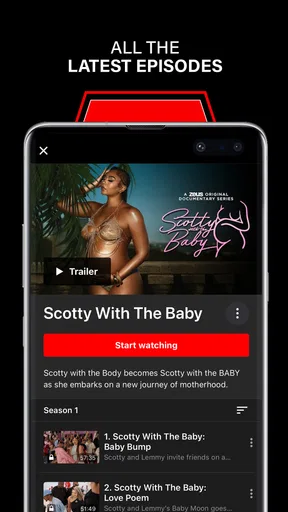


Our Review of Zeus
 Analysis by Appyee
Hey there, app adventurers! Today, I’m diving into the world of Zeus, an app that’s been getting quite a bit of buzz lately. If you’re like me and love discovering new ways to manage your day-to-day activities with a sprinkle of tech magic, then you’ll want to stick around for this review.
Unleashing the Power of Zeus
First off, let’s talk about what Zeus is all about. This app is designed to be your ultimate personal assistant, aiming to streamline your schedule, manage your tasks, and basically make your life a whole lot easier. Imagine having a digital superhero in your pocket – that’s the vibe it’s going for.
Getting Started
Installing Zeus is as straightforward as any other app. A quick trip to the App Store or Google Play, and you’re good to go. Once you open it, you’re greeted with a clean, user-friendly interface. No overwhelming menus or confusing buttons – it’s all laid out in a way that even the least tech-savvy among us can navigate with ease.
Upon setup, the app prompts you to sync your calendars and contacts. This is where Zeus starts to shine. It seamlessly integrates with your existing tools, pulling in information to create a comprehensive overview of your day. From meetings to lunch dates, everything is organized neatly.
Main Features
Now, let’s get into the meat of it. What does Zeus actually do? Well, quite a lot! Here’s a quick rundown of its standout features:
- Smart Scheduling: The app analyzes your calendar and suggests optimal times for meetings and tasks, so you’re never double-booked.
- Task Management: Create to-do lists and set reminders with ease. The app even prioritizes tasks based on deadlines and importance.
- Voice Commands: Feeling lazy? Use voice commands to add tasks or schedule events without lifting a finger.
- Weather Integration: Stay ahead of the weather with real-time updates and alerts integrated into your daily schedule.
Everyday Use
After a week of using Zeus, I found that it genuinely made a difference in how I managed my time. The smart scheduling feature is a game-changer for anyone juggling multiple commitments. I no longer had to worry about overlapping meetings or missing important deadlines.
The voice command functionality is another favorite of mine. On busy mornings, I could quickly add tasks while making breakfast, simply by speaking to my phone. It’s like having a personal assistant who never sleeps!
Room for Improvement
Of course, no app is perfect, and Zeus is no exception. One area where it could improve is in customization options. While the default settings are great for most, I’d love more ways to personalize the interface and notifications to suit my preferences.
Additionally, a few users have noted occasional syncing issues with calendars, but these are rare and generally resolved with a quick app restart.
Final Thoughts
All in all, Zeus is a powerful tool for anyone looking to boost productivity and manage their time more effectively. The combination of smart scheduling, task management, and voice commands makes it a standout choice in the crowded world of productivity apps.
If you’re ready to take control of your schedule and free up more time for what truly matters, I’d definitely recommend giving Zeus a try. With its intuitive design and robust features, it’s like having a personal assistant in your pocket – minus the hefty salary!
So, are you ready to unleash the power of Zeus in your daily life? Trust me, you won’t regret it!
Verdict
Strengths of Zeus
- Intuitive user interface for easy navigation.
- Rich feature set for comprehensive functionality.
- Fast performance with minimal lag.
- Regular updates for improved features.
- Customizable settings for personalization.
Limitations of Zeus
- High battery consumption during use.
- Limited offline functionality.
- Occasional ads can be intrusive.
- Some features require in-app purchases.
- Compatibility issues on older devices.
Similar Picks in This Category
View All
Google Play Games
Google LLC3.9

Netflix
Netflix, Inc.4.8

YouTube Kids
Google LLC4.2

Disney+
Disney4.4

Prime Video
Amazon Mobile LLC4.7

Steam
Valve Corporation3.2
Frequently Asked Questions
What is Zeus and what does it offer?
Zeus is a dynamic app designed to enhance your productivity and entertainment experience. It offers a wide range of features, including task management, media streaming, and social interaction tools. With its user-friendly interface, Zeus aims to streamline your daily activities while providing engaging content.
Is Zeus compatible with all Android and iOS devices?
Zeus is compatible with most modern Android and iOS devices. However, it requires a minimum operating system version of Android 8.0 or iOS 12.0. Be sure to check your device’s compatibility in the app store to ensure optimal performance and access to all features.
How does Zeus handle user data and privacy?
Zeus prioritizes user privacy and data security. The app employs advanced encryption techniques to protect user information. It also adheres to strict privacy policies and does not share personal data with third parties without consent. Users can customize privacy settings within the app.
Are there any in-app purchases or subscriptions in Zeus?
Yes, Zeus offers in-app purchases and subscription options for enhanced features and content. While the basic version is free, premium subscriptions unlock additional functionalities and ad-free experiences. Users can choose between monthly and annual subscription plans based on their preferences.
What kind of support is available for Zeus users?
Zeus provides comprehensive customer support through multiple channels. Users can access a detailed FAQ section, submit queries via email, or engage with real-time chat support. The app also features a community forum where users can share tips and receive advice from fellow Zeus users.
